
3D scenes
Stages
Create multi-character scenes with skins, poses, motions, items, and backgrounds.
1 stage
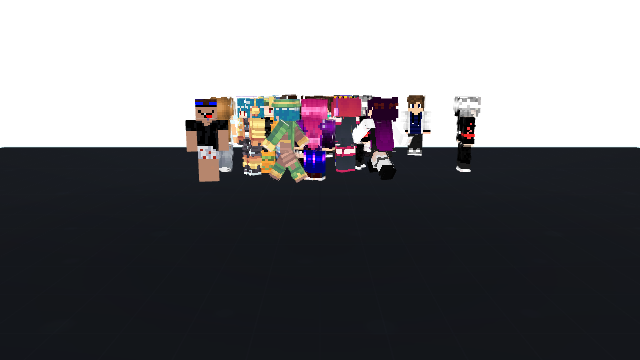
Stage workflow
Cast
Choose the character cast
Start with the skins and roles that belong in the same scene, story, roster, or performance.
What Is a Minecraft Character Stage?
Stage is for scene building, not simple skin browsing. It gives multiple Minecraft characters one shared space where cast, environment, motion, items, and camera framing work together.
Browse Public Stage Pages
- Multi-character performances and dance scenes.
- Server cast pages, roleplay groups, and team introductions.
- Scene-driven character posters and story screenshots.
- Motion-heavy previews where one static skin card is not enough.
- Group compositions with shared props, backgrounds, and camera framing.
- Playable public pages that let visitors watch or inspect the full scene.
Find Stage Scene Ideas and Setups
- Create a new stage and add characters from projects or public skins.
- Place characters on the stage and adjust their position, rotation, and scale.
- Apply poses, animations, items, or group behavior.
- Choose sky, floor, backdrop, lighting, and environment style.
- Preview the stage in edit mode or play mode.
- Publish the result as a public or unlisted stage page.
Preview Stage Scenes Before Visiting
- Keep every character readable before adding complex motion.
- Use props only when they support the role of the character.
- Leave enough spacing between characters so the cast does not visually merge.
- Use stronger motion for performances and lighter motion for scene previews.
- Use Showcase instead when the real goal is browsing a collection rather than staging a scene.
Create Your Own Character Stage
Minecraft Character Stage
Open the dedicated Stage landing page for multi-character scene and performance intent.
Showcase
Use Showcase when you need a character collection display instead of a shared scene.
Motion Lab
Prepare poses, clips, and character actions before building a stage.
Item Studio
Add swords, shields, books, tools, staffs, and props before staging a character.
Export Forge
Turn a finished stage setup into snapshots, GIFs, or video outputs.